WWDC 2022 总结
又是一年一度的 WWDC,例行总结一下。
当一个变量名非常长时,if let只能像这样:
var thisIsALongNameOfParameter: String? = nilif let thisIsALongNameOfParameter = thisIsALongNameOfParameter { print(thisIsALongNameOfParameter)}上面的看起来很啰嗦,有时为了简化,会取一个短的名字
var thisIsALongNameOfParameter: String? = nilif let name = thisIsALongNameOfParameter { print(name)}Swift 5.7 之后,可以缩短成if let + 变量名即可,guard let 也是类似的。
var thisIsALongNameOfParameter: String? = nilif let thisIsALongNameOfParameter { print(thisIsALongNameOfParameter)}但这个简写功能只能用于对象本身,不能用于对象的属性。
下面这种就会报错:
struct Book {  let price: Float?}
let book: Book = Book(price: 32.0)
if let book.price { print(book.price ?? 0.0)}Swift 5.7 之前,闭包的类型推断只能用于单个表达式,比如下面的results可以通过编译器的类型推断出是[String]类型:
var numbers = [4, 3, 2, 1]let results = numbers.map { "\($0)"}但当里面有多个表达式的时候,比如if else判断或do catch等条件表达式时,编译器就会报错误
let results = numbers.map {  if $0.isMultiple(of: 2) {    return "\($0)"  } else {    return "\($0 * 2)"  }}
// error: cannot infer return type for closure with multiple statements; add explicit type to disambiguate// let results = numbers.map {
解决办法也很简单,指定闭包的返回值即可:
let results = numbers.map { n -> String in if n.isMultiple(of: 2) { return "\(n)" } else { return "\(n * 2)" }}Swift 5.7 对上面这种情况做了简化处理,编译器可以推断出多个表达式的类型,应该是推断return的类型,无需手动指定返回类型了。
但这个功能的前提条件是所有的return类型都是同一类型,不能return不同的类型,如下面的情况会报编译器错误。
let results = numbers.map { n in if n.isMultiple(of: 2) { return "\(n)" } else { return n * 2 }}内存安全
在 Swift 5.7 之前,我们在做数组删除操作时,又去访问数组的长度,编译器会报错,这个叫内存安全。
var numbers = [4, 3, 2, 1]
numbers.removeAll(where: { number in    number == numbers.count})
编译器报错
Overlapping accesses to ‘numbers’, but modification requires exclusive access; consider copying to a local variable
线程安全
Swift 5.7 中,当我们在Task里面操作数组时一样,编译器同样会报警告:
var numbers = [3, 2, 1]
Task {  numbers.append(0)}
numbers.removeLast()print(numbers)
编译器警告
Mutation of captured var ‘numbers’ in concurrently-executing code; this is an error in Swift 6
我一直认为正则表达式的可读性非常差,所以 Apple 在 Objective-C 时代推出了NSPredicate (opens in a new window)。但是 Swift 时代,NSPredicate 这种偏重字符串格式化的方法不符合强类型的思想,所以 Regex 诞生了。我认为这是可以预见的结果,通过函数式的方式组合各种条件达到非常复杂的正则效果。
看下面的例子:
import RegexBuilder
let regex = Regex {    ZeroOrMore(.horizontalWhitespace)
    Optionally {        Capture(OneOrMore(.noneOf("<#")))    }        .repetitionBehavior(.reluctant)
    ZeroOrMore(.horizontalWhitespace)
    "<"    Capture(OneOrMore(.noneOf(">#")))    ">"
    ZeroOrMore(.horizontalWhitespace)    ChoiceOf {       "#"       Anchor.endOfSubjectBeforeNewline    }}
非常的语义化,一眼就看的出来是什么意思。
唯一的缺点就是只能在 iOS 16 上使用,遗憾。
Swift 5.7 引入了一种新的标准方式来获取和表示时间,可分为以下三个部分:
- Clock: 表示当下,并且能提供在将来特定时间点唤起的功能
- Instant: 表示某个瞬间
- Duration: 用于计量流逝的时间
Clock 有 ContinuousClock 和 SuspendingClock 两种内置时钟,ContinuousClock 在系统休眠时也会保持时间递增,而 SuspendingClock 则不会。Task 休眠相关的 API 也会根据新标准有所更新。
extension Task {    @available(*, deprecated, renamed: "Task.sleep(for:)")    public static func sleep(_ duration: UInt64) async
    @available(*, deprecated, renamed: "Task.sleep(for:)")    public static func sleep(nanoseconds duration: UInt64) async throws
    public static func sleep(for: Duration) async throws
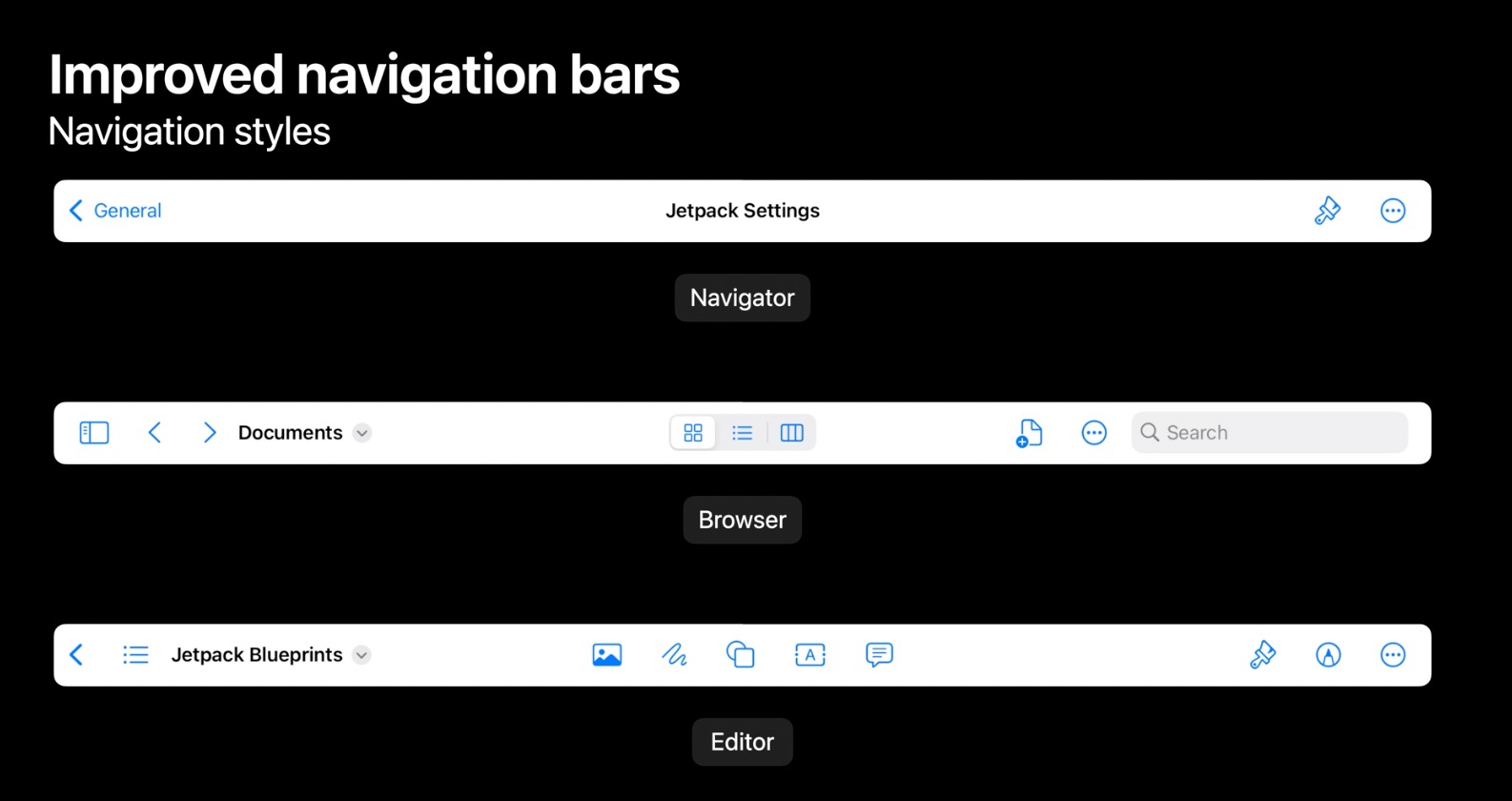
public static func sleep<C: Clock>(until deadline: C.Instant, tolerance: C.Instant.Duration? = nil, clock: C) async throws}Navigation Bar 现在有 3 种类型:
- Navigator: iOS 16 之前的样式
- Browser: 浏览器样式,可以用于支持”History”之类的 web 浏览器功能,或者侧边目录结构的文档浏览器。
- Editor: 编辑器样式支持在中间点击的时候会弹窗,然后拖拽功能按钮到导航栏,类似于 macOS 上的应用的自定义工具栏。
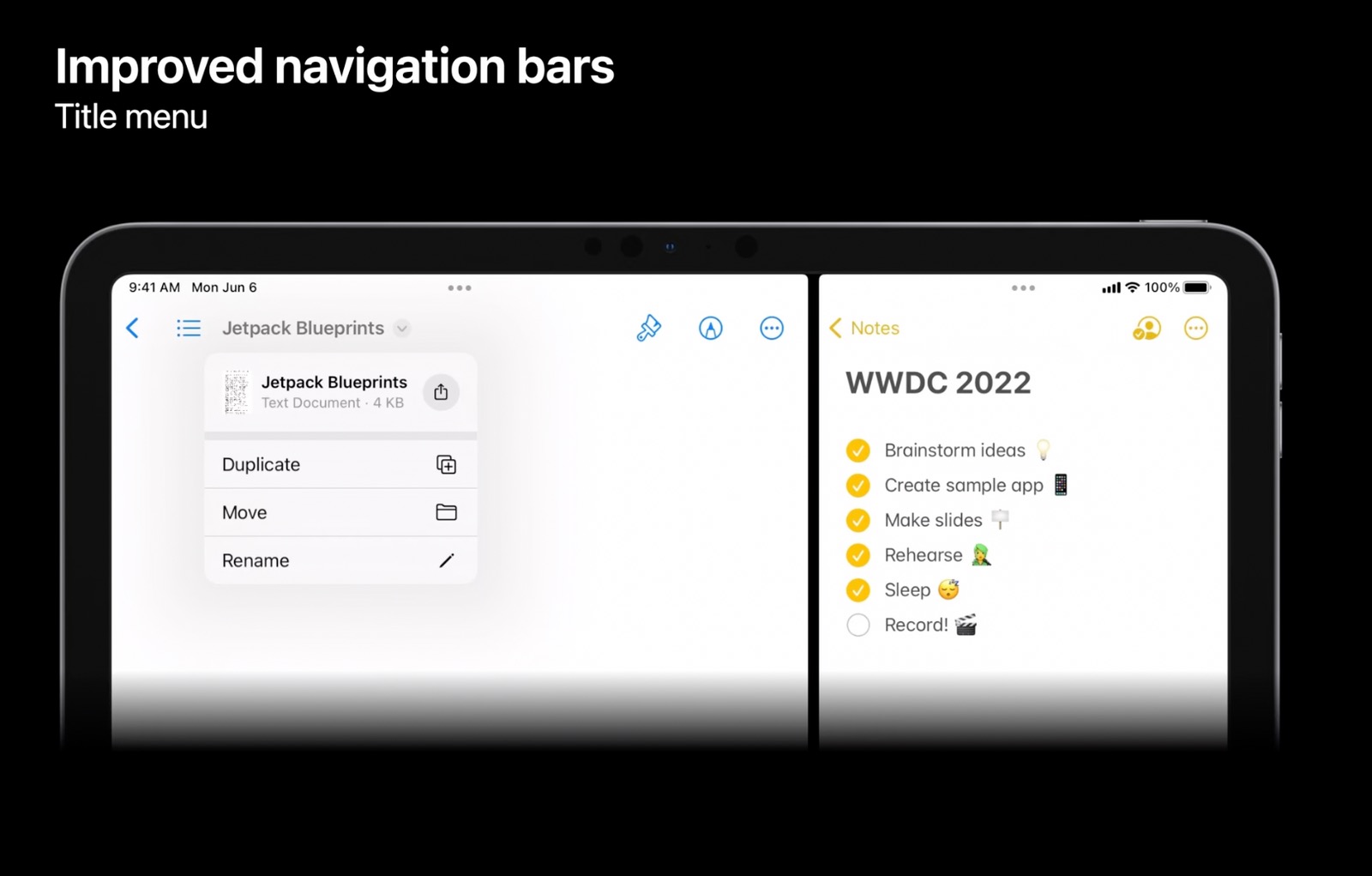
可在新的导航栏设置标题菜单,可处理复制、移动、重命名、打印等操作。
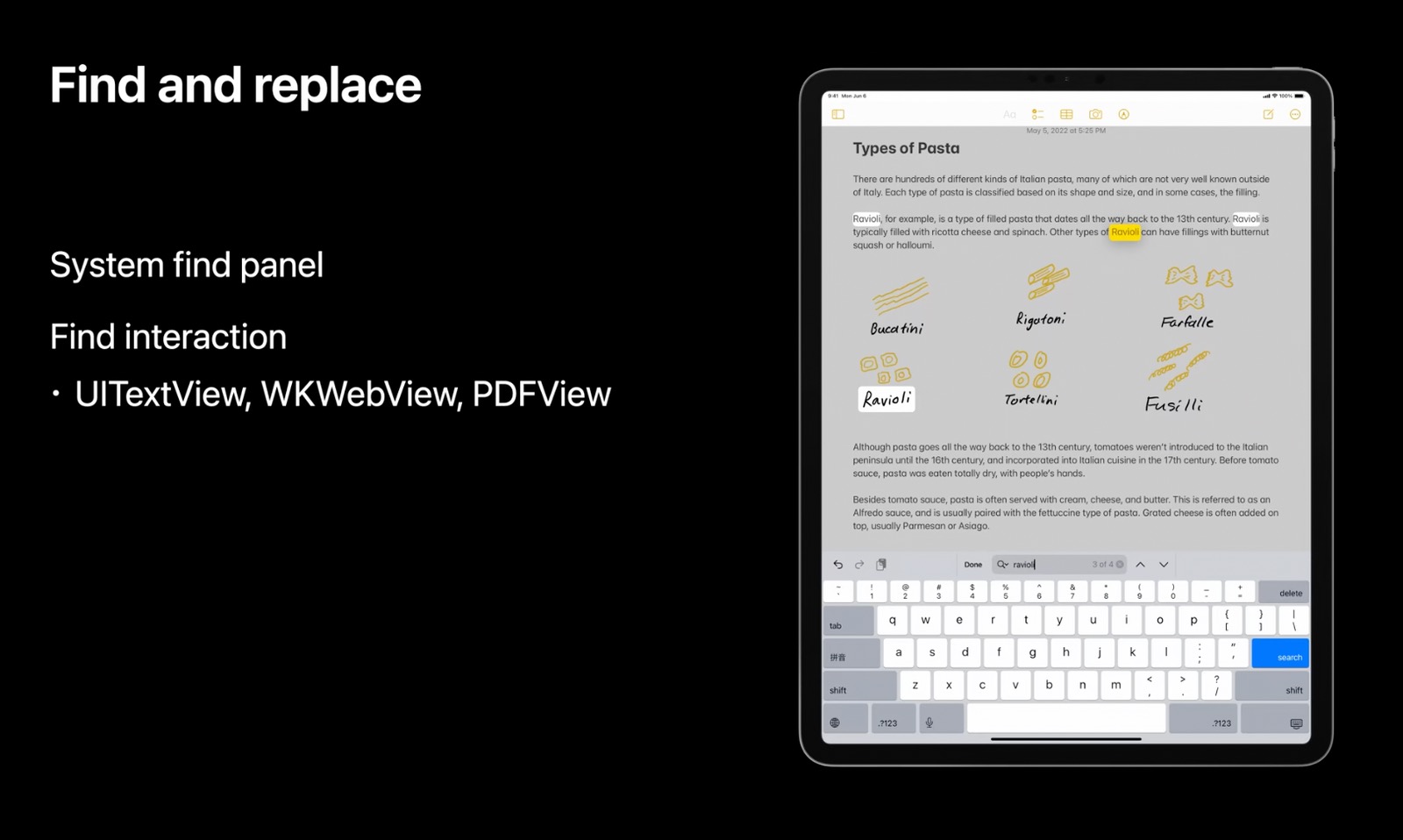
在 UITextView, WKWebView, PDFView有查找和替换功能,只需要设置一个简单的标志位。
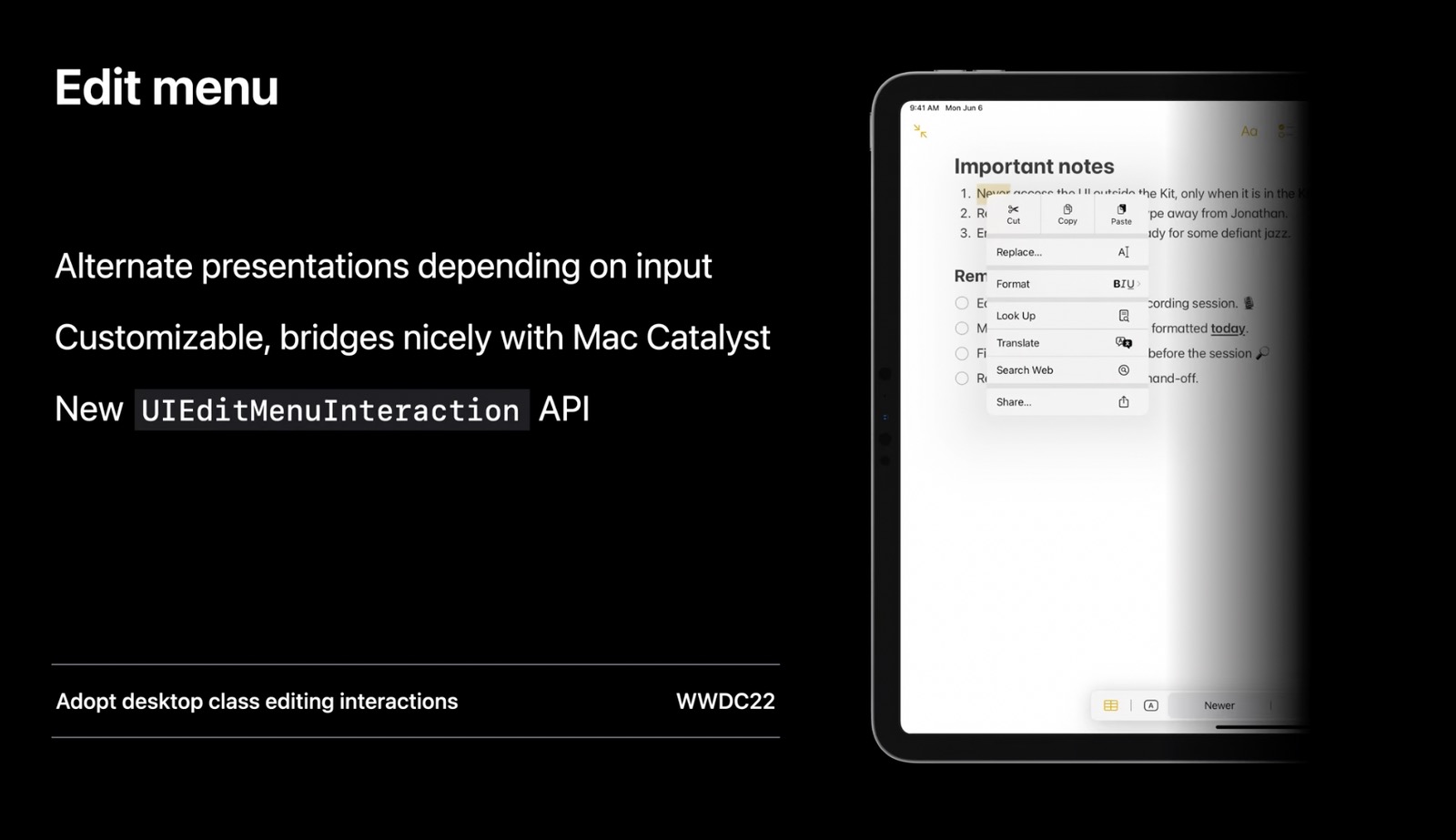
UIMenuContoller废弃了,取而代之的是 UIEditMenuInteraction。
根据输入法的不同,编辑交互的样式也不同。
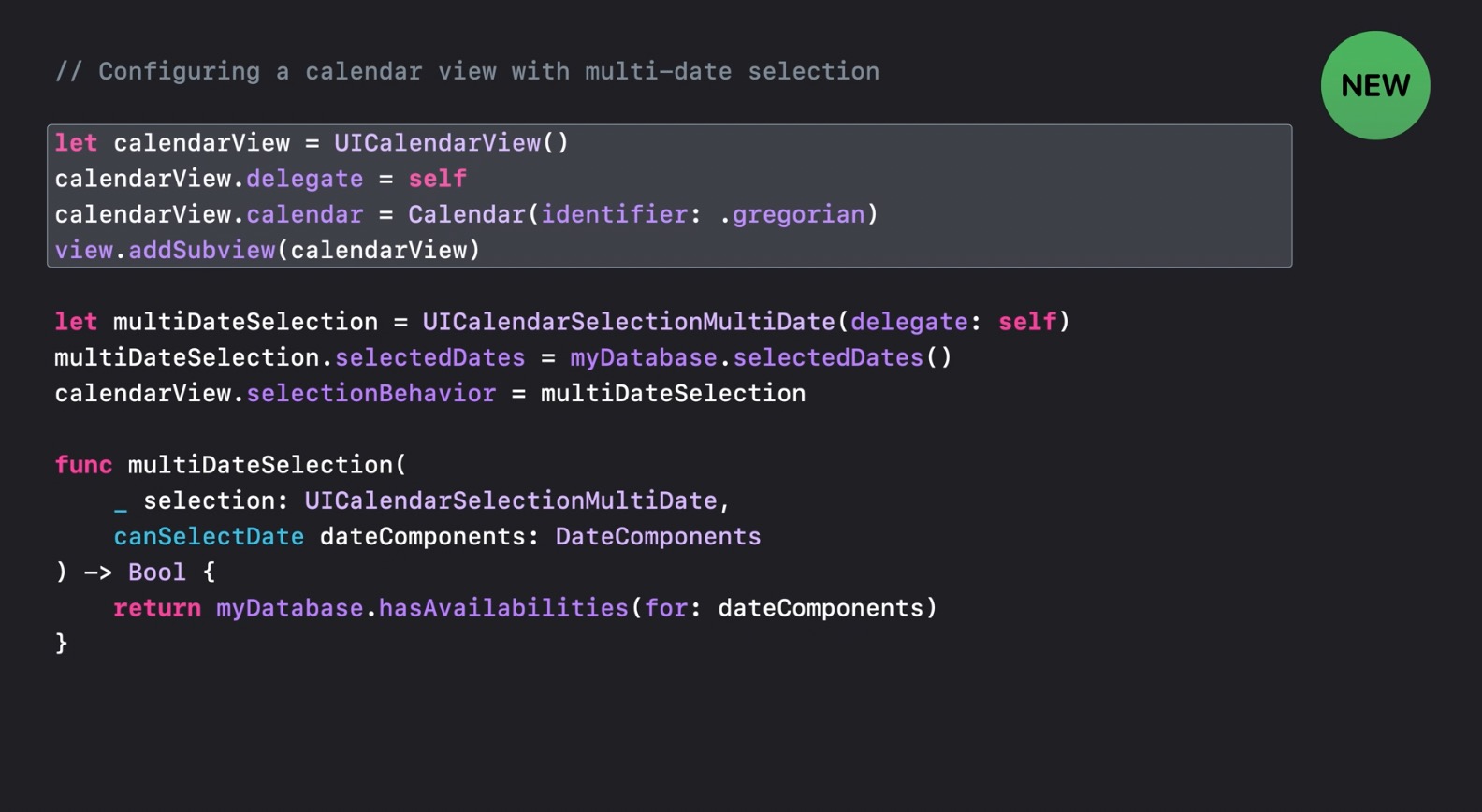
盼星星盼月亮终于来了,要做好一个日历组件不简单的,虽然有开源方案的选择,但是毕竟没有系统自带的方便。
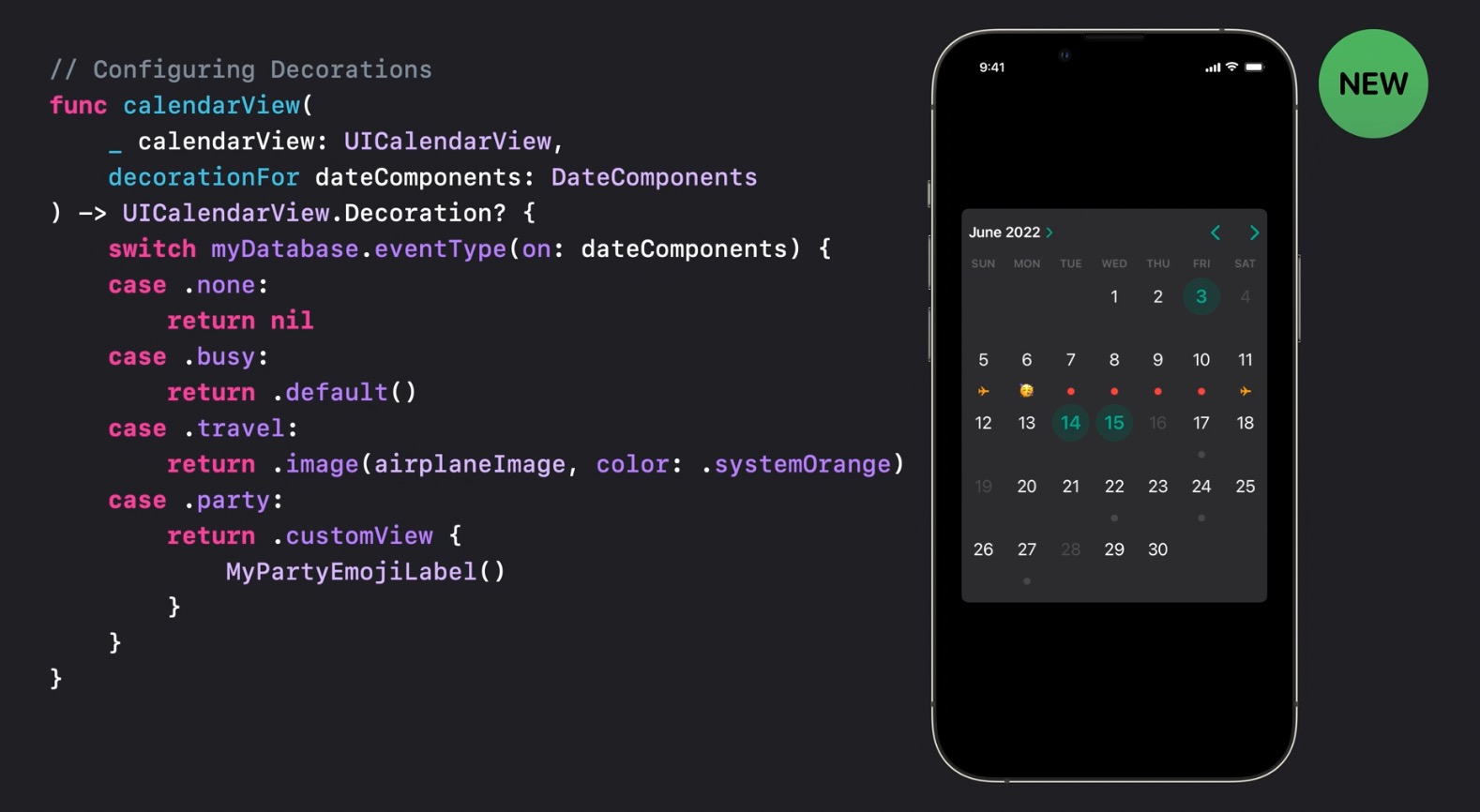
相比于 UIDatePicker ,UICalendarView 使用 UIDateComponents作为日期对象,而不是Date对象。UICalendarView需要明确提供calendar,且支持多选日期,以及自定义样式。
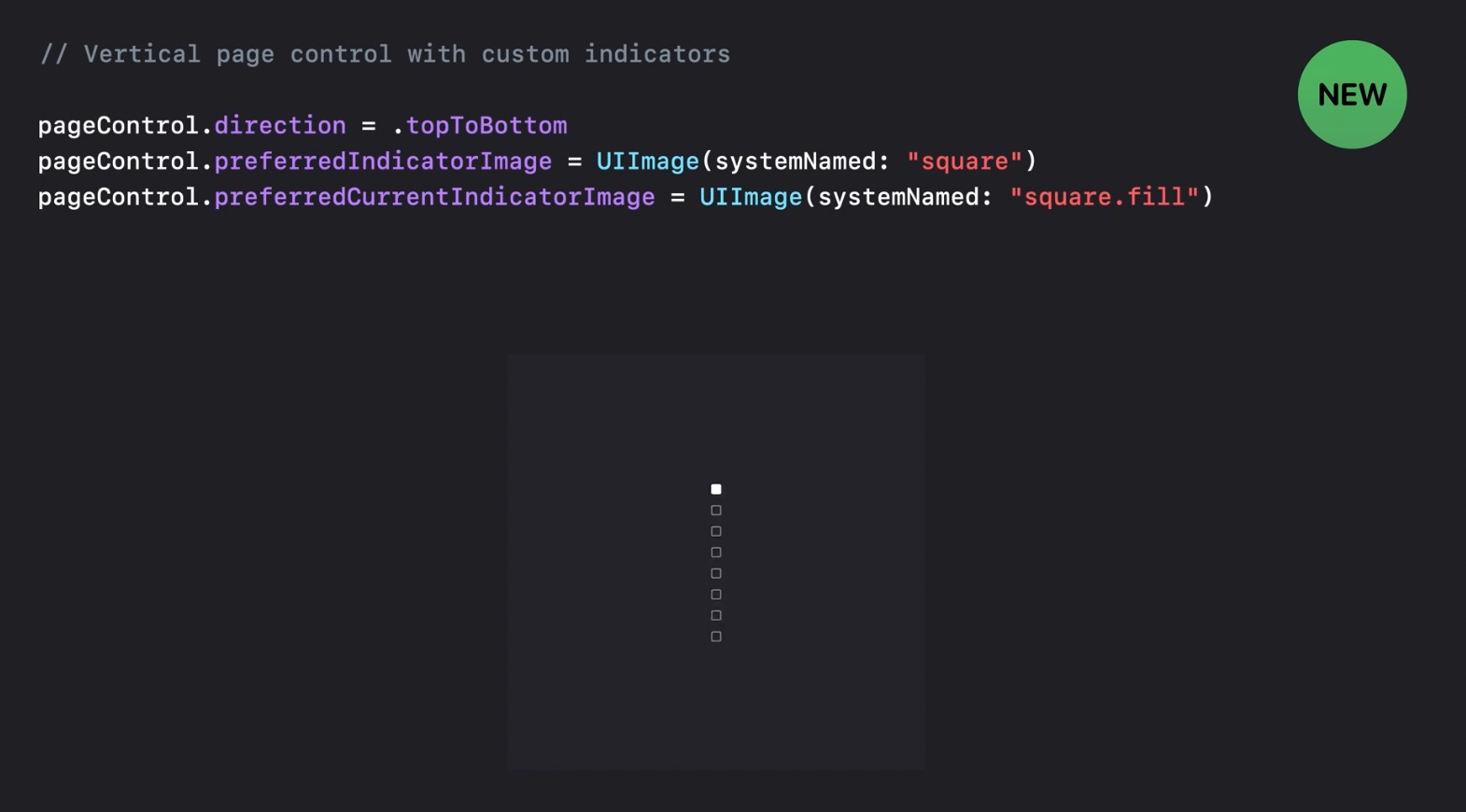
UIPageControl带来一个小更新,可以根据不同状态自定义指示图片,还可以设置垂直方向。
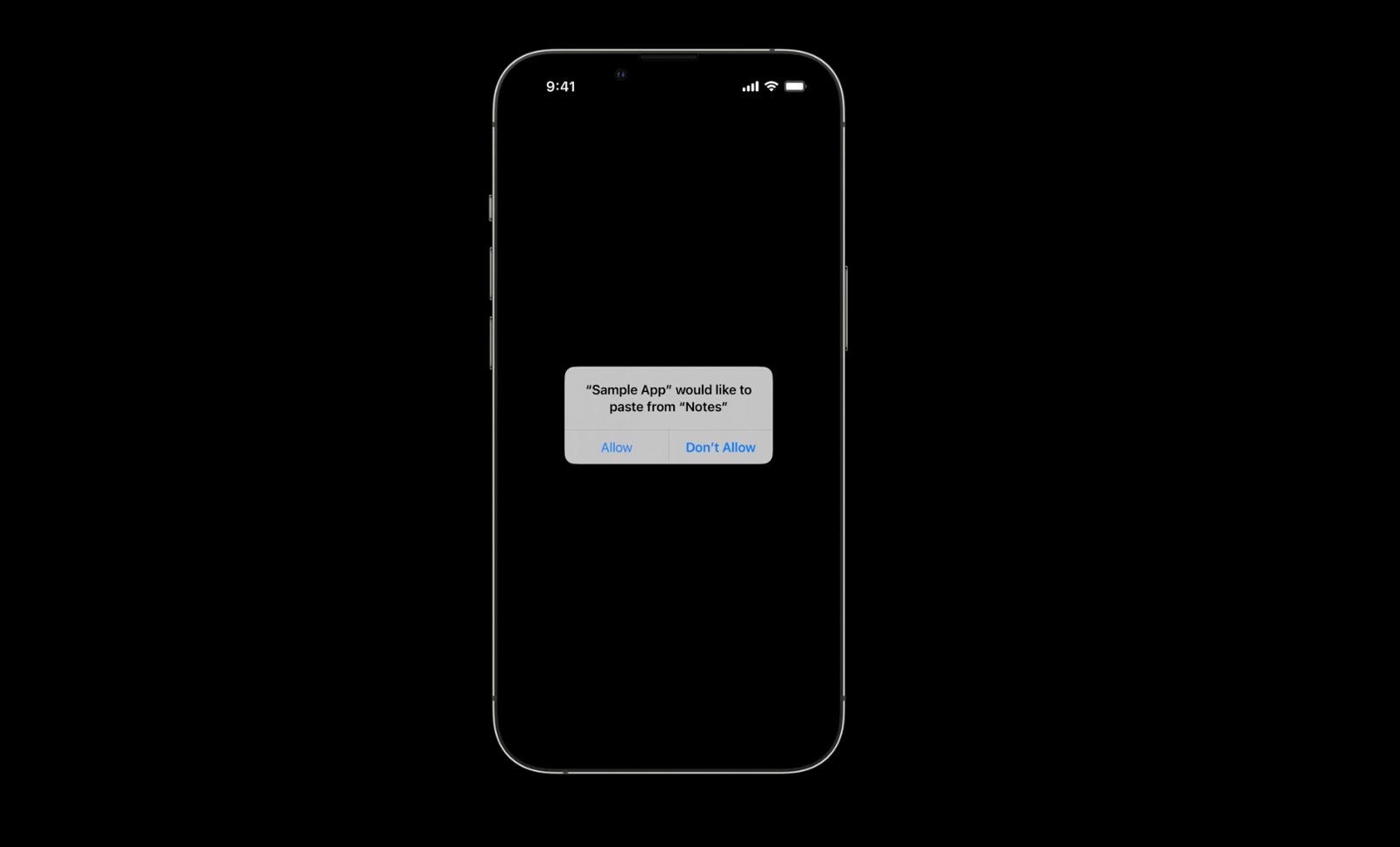
iOS 15 的时候只是提示哪个 App 访问了剪贴板,iOS 16 会有一个权限弹窗。
UISheetpresentationController 在 iOS 15 的时候发布,但是那时的 detent 只能设置两个预设的值.medium()和.large(),高度要么一半,要么全屏,灵活性不高。
// In a subclass of UIViewController, customize and present the sheet.func showMyViewControllerInACustomizedSheet() { let viewControllerToPresent = MyViewController() if let sheet = viewControllerToPresent.sheetPresentationController { sheet.detents = [.medium(), .large()] sheet.largestUndimmedDetentIdentifier = .medium sheet.prefersScrollingExpandsWhenScrolledToEdge = false sheet.prefersEdgeAttachedInCompactHeight = true sheet.widthFollowsPreferredContentSizeWhenEdgeAttached = true } present(viewControllerToPresent, animated: true, completion: nil)}在 iOS 16 里,现在可以自定义高度。
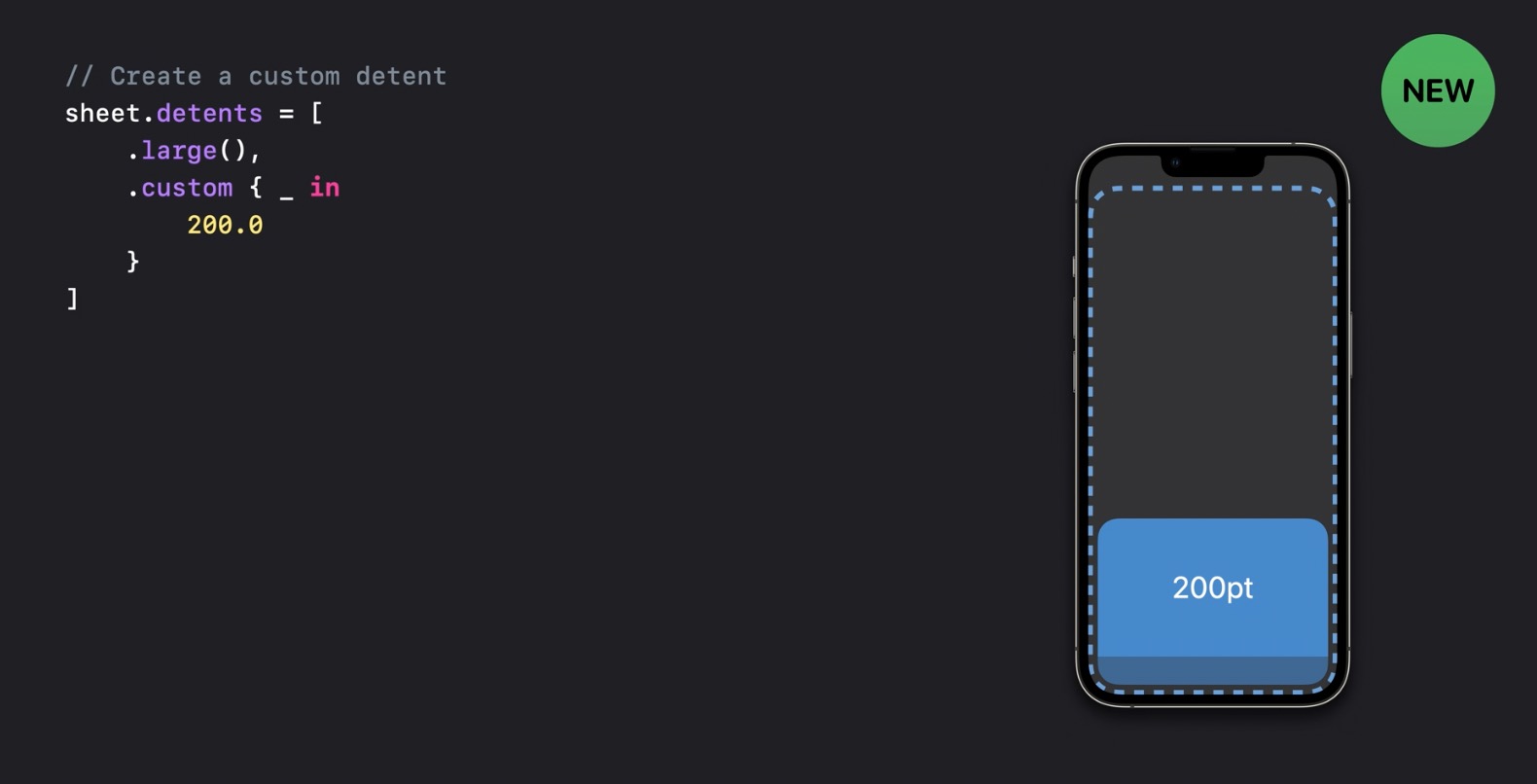
或百分比高度
sheet.detents = [ .large(), .custom { context in 0.3 * context.maximumDetentValue }]以及自定义 detent:
extension UISheetPresentationController.Detent.Identifier {  static let small = UISheetPresentationController.Detent.Identifier("small")}
sheet.detents = [  .large(),  .custom (identifier: .small) { context in    0.3 * context.maximumDetentValue  }]
sheet.largestUndimmedDetentIdentifier = .small在 iOS 16 中以下几个类型遵循sendable协议,可以自由的在各个 actor之间传递,并发环境下安全使用:
- UIImage
- UIColor
- UIFont
- UITraitCollection
为了鼓励开发者适配多窗口支持,Stage Manager 应运而生。
与此同时,以下两个东西被废弃了:
- UIScreen.main
- UIScreen 声明周期的通知
取而代之的是 trait collection 和 UIScene 的 API。
iOS 16 中, UICollectionView 和 UITableView 默认开启了这一功能。
class UICollectionView { // 默认是 .enabled var selfSizingInvalidation: SelfSizingInvalidation}当使用 UIListContentConfiguration(iOS 14)时,自适应大小功能会无效。
还可以使用invalidateIntrinsicContentSize() 手动使其无效。
当然我们还可以依靠 auto layout 来告诉 cell 什么时候不需要自适应大小:
selfSizingInvalidation = .enabledIncludingConstraintscontentView的 Auto Layout 改变时,自适应大小会无效。
为了改进 UIKit 和 SwiftUI 的互操作性,引入了UIHostingConfiguration,可以很方便的在 UIKit 的 cell 中使用 SwiftUI:
cell.contentConfiguration = UIHostingConfiguration { // SwiftUI 代码}为了隐私问题,UIDevice.name不会返回当前设备的名称,类似’xxx 的 iPhone X’这样的字符串,这个是用户可以在设置中修改的。
在 iOS 16 中,UIDevice.name只会返回设备的型号。
设备的横竖屏方向UIDevice.orientation也废弃了,用PreferredInterfaceOrientation替代。
Xcode 本次更新可说是干货满满,对提高开发效率还是非常巨大的。
安装包减少了 30%,下载之后首次打开会提醒让你选择模拟器,iOS 和 macOS 内置了,也无法取消,watchOS 和 tvOS 是可选的,这两个每个大概 3G 左右的大小。
先定义一个 User 类型的 struct:
struct User: Identifiable { var id = UUID() let name: String let age: Int let gender: Int}当你在 Editor 输入init时,会自动帮你生成如下初始化代码
init(id: UUID = UUID(), name: String, age: Int, gender: Int) { self.id = id self.name = name self.age = age self.gender = gender}我们给User增加Codable协议,可以自动补全三块内容。而这些东西有时候需要借助第三方工具(比如 QuickType)才能更方便生成,现在 Xcode 直接内置了,就很爽啊。
输入”coding”,补全CodingKeys:
enum CodingKeys: CodingKey { case id case name case age case gender}输入”init”,补全init(from decoder: Decoder)
init(from decoder: Decoder) throws { let container = try decoder.container(keyedBy: CodingKeys.self) self.id = try container.decode(UUID.self, forKey: .id) self.name = try container.decode(String.self, forKey: .name) self.age = try container.decode(Int.self, forKey: .age) self.gender = try container.decode(Int.self, forKey: .gender)}输入”encode”,补全func encode(to encoder: Encoder) :
func encode(to encoder: Encoder) throws { var container = encoder.container(keyedBy: CodingKeys.self) try container.encode(self.id, forKey: .id) try container.encode(self.name, forKey: .name) try container.encode(self.age, forKey: .age) try container.encode(self.gender, forKey: .gender)}假设我们定义了一个fetchArticles的函数,它有 2 个必填参数和 2 个默认参数。
当我们输入”fetchar”时,弹出提示如下图所示:
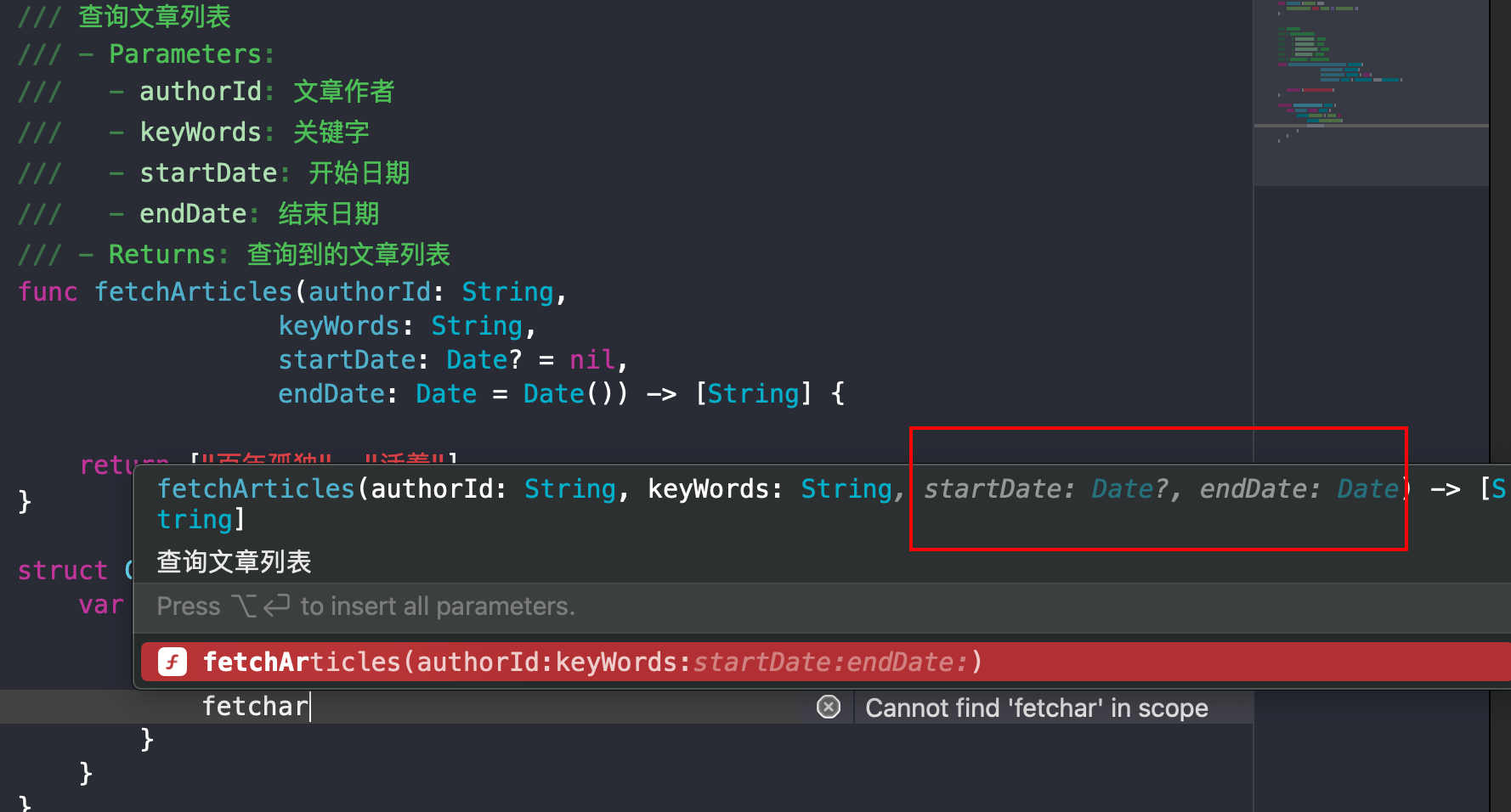
如果这时回车,那么默认参数将被忽略,函数填充变成:
fetchArticles(authorId: "", keyWords: "")这里还有一个灰色的提示,当你按着Option健时,所有灰色的默认参数会变亮,Option + Enter会自动插入所有参数。
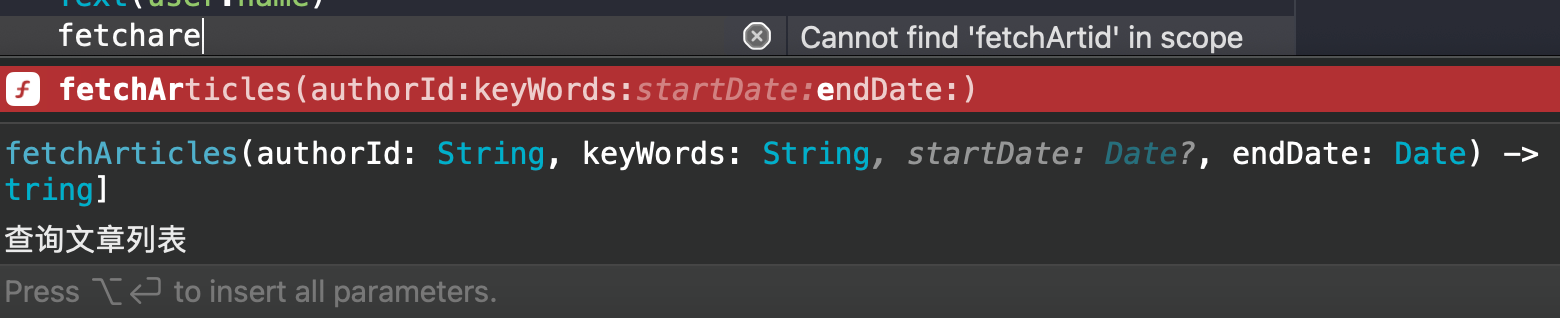
还有一个小技巧是,假如有很多默认参数,但是你只想要自定义某几个默认参数,可以在输入时把默认参数的几个关键字符写入,这样可以指定需要的默认参数,支持模糊搜索。
比如我需要endDate参数,但不需要startDate参数,输入”fetchare”即可,最后的”e”代表endDate。
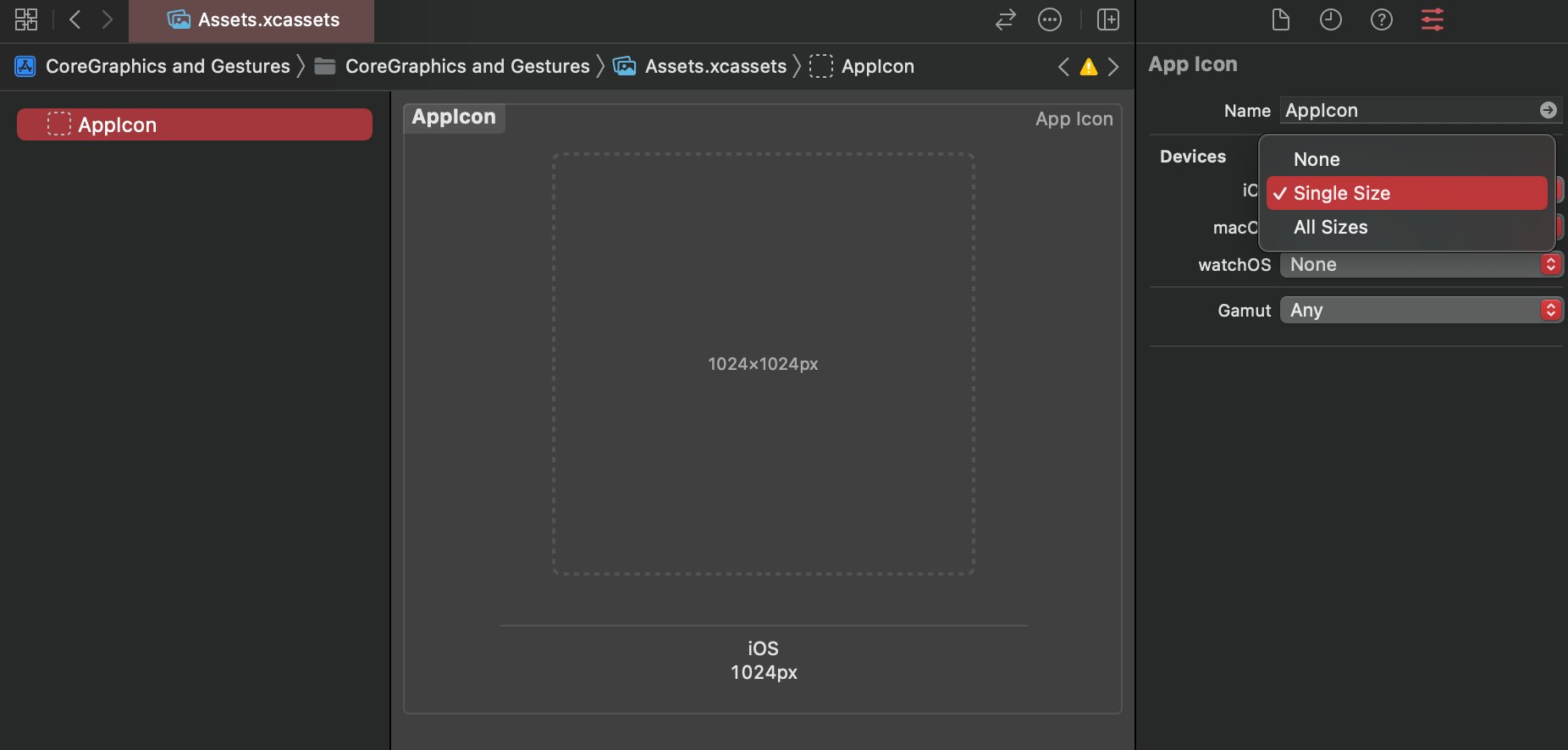
在 Xcode 14 之前,App 的桌面图标需要借助工具生成各个尺寸的图标。
Xcode 14 对其进行了简化操作,只需要一张 1024 * 1024 分辨率的图片即可。启用该功能需要将右侧 Devices—iOS 部分改成Single Size
- 支持了并行编译,速度提升 25%
- Test 也支持并行编译,速度提升 30%
- Interface Builder 性能改进,比如 Storyboard,加载文档的速度提升 50%,切换不同设备的速度 30%
- 支持
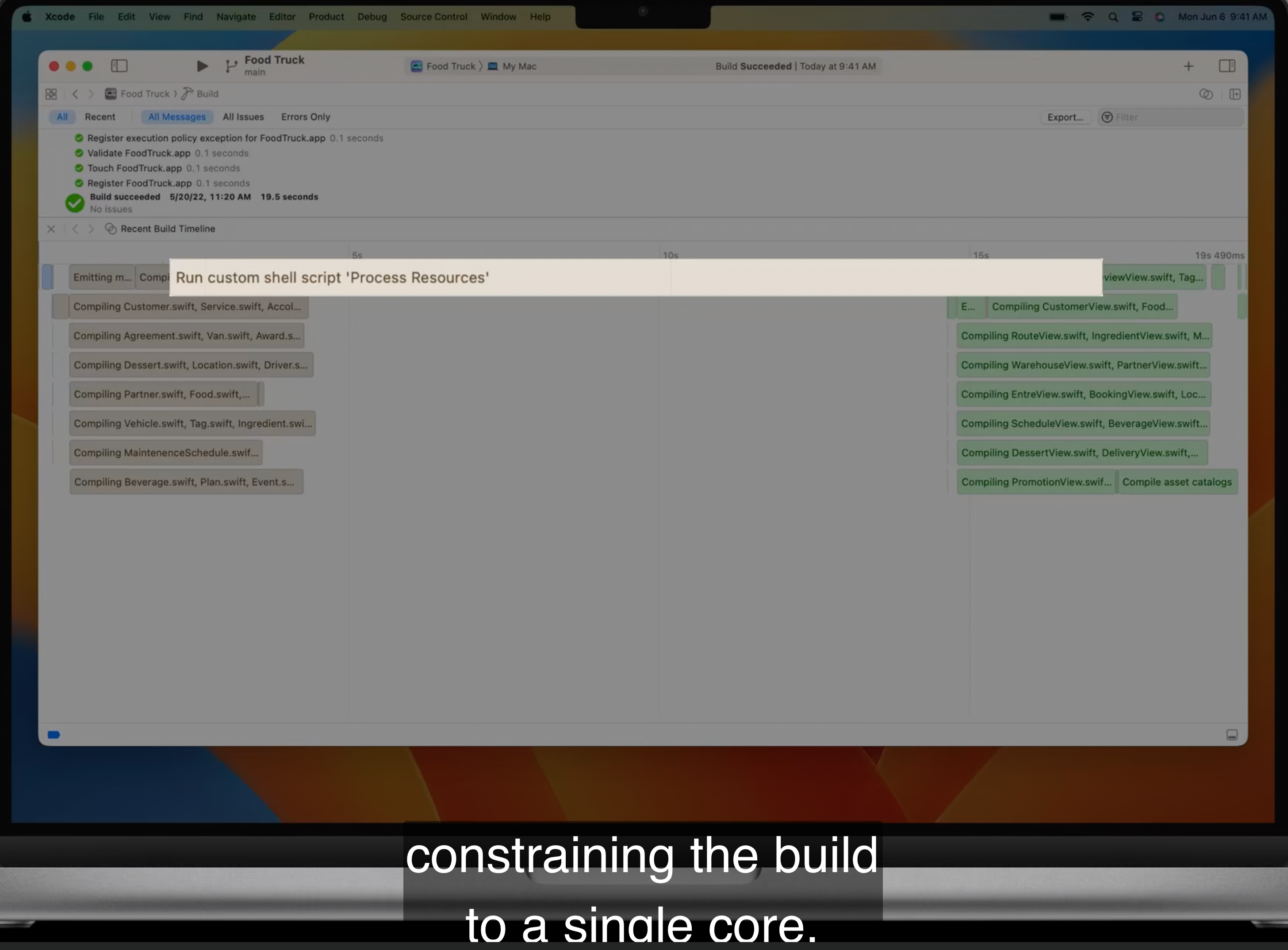
Build Timeline,可以查看每个类的编译时间。
- What’s new in Swift (opens in a new window)
- What’s new in SwiftUI (opens in a new window)
- What’s new in Xcode (opens in a new window)
- What’s new in UIKit (opens in a new window)
- Customize and resize sheets in UIKit (opens in a new window)
- Eleminate data races using swift concurrency (opens in a new window)
- Meet Swift Regex (opens in a new window)
- Swift Regex: Beyond the basics (opens in a new window)